Mate-trac is a synchronization signal for controlling multi-image slide shows. It was developed by Arion Corporation. Nearly all Arion show control products use it. Additionaly, Arion manufactured dissolve units for Kodak and 3M, and those products also use the Mate-trac signal.
Mate-trac can control up to 16 projectors by daisy-chaining eight two-projector dissolve units.
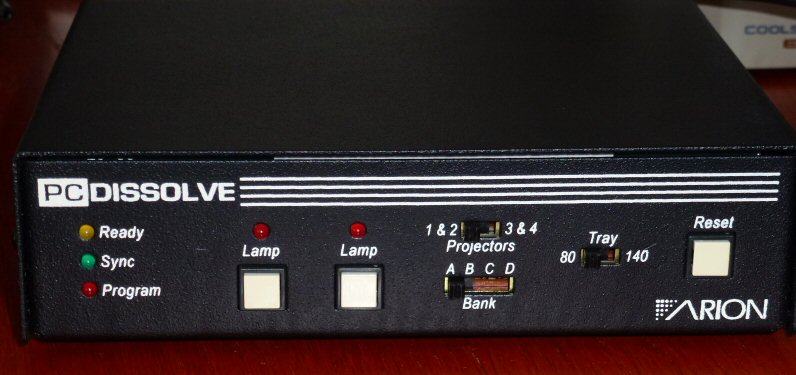
Mate-trac can also control up to 12 "auxiliary relays." Auxiliary relays can be used to trigger effects. Relays are generally grouped in a device that can decode the Mate-trac signal, such as the Arion AUX Control Module.
TODO: I believe Mate-trac can be used to control certain videodisc players. The Pro Sixteen manual makes reference to a supplemental manual for videodisc control. The Hawk manual has no reference to it. Holes in this specification may be related to videodisc control. Arion also made a light dimmer controller, but I'm not sure if it worked with Mate-trac.
Mate-trac is similar in functionality to Procall, a competing protocol developed by Audio Visual Laboratories. AVL is no longer in business, and I have found no information on Procall. There are other more advanced show control signals and protocols used in theaters, theme-park attractions, planetariums, etc. These include DMX and SPICE.
I have not found any patents that have been issued to Arion for Mate-trac or any other technology, so reverse engineering seems fair game.
Wings, a show control programming package, is capable of producing a Mate-trac signal. Wings is available from the German company Stumpfl. In an email exchange with Arion, an Arion representative said that Wings is not authorized by Arion, but that litigating against them would be prohibitively expensive because Wings doesn't support every nuance of Mate-trac and because Stumpfl is based in Germany.
Arion claims "Mate-trac" as a trademark, but they allowed the registered status of that trademark to expire in 1991. Arion is inconsistent in capitalization, calling it both "Mate-trac" and "Mate-Trac". I've chosen to use Mate-trac in this document.
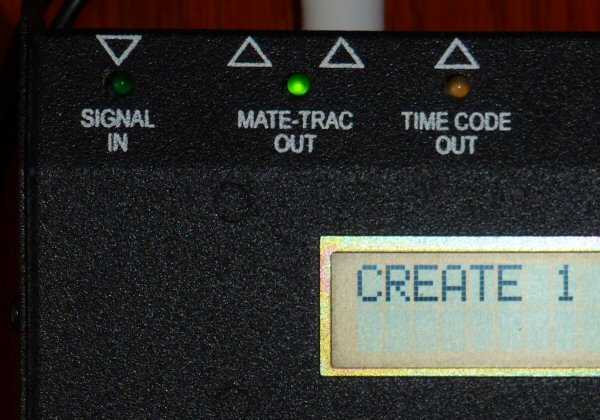
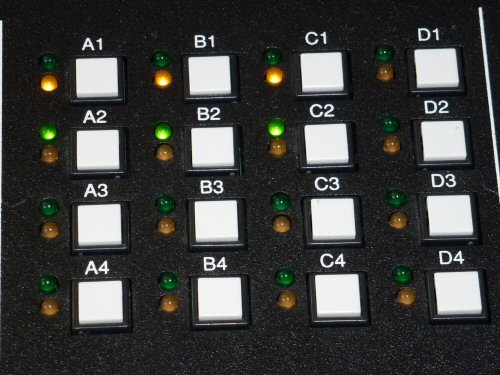
I've learned this information from general observations about the behavior of Arion products while programming shows, by experimenting with an Arion Hawk Presentation programmer (Model 816A, Version 2.56 (3257)) as discussed later in this section, and reading the following manuals:
None of the Arion documentation has any legal claims or discussion of license rights. Only the final version of the Hawk manual has a copyright notice.
With one exception, I did not open the case of any of the devices to examine circuitry. The exception was that I did once open my AUX Control module in order to get the part number from the relays. That was part of another project, and my goal was to find more information about the rating of the relays. In no instance, did I inspect or decompile software or firmware stored inside any of the Arion devices.
I did perform controlled experiments by entering simple programs and commands into the Hawk through its user interface and by analyzing the output signals from the "TIME CODE OUT" and "MATE-TRAC OUT" jacks.
The Hawk can produce a SMPTE time code signal as well as Mate-trac. Since SMPTE encoding information was readily available on the Internet, I tested my processes with that first. I recorded audio signals with MS Windows Sound Recorder at 22kHz, 8-bit mono. I viewed the raw waveform using CakeWalk Home Studio, and I wrote software to decode the .WAV file into bit and byte streams. My software was successful in finding the SMPTE bitstream in the WAV signal. Encouraged, I inspected the wave form of a Mate-trac recording and saw that there were substantially similar, so I started to analyze bit patterns from Mate-trac sequences which I recorded and decoded using the same software that read the SMPTE bitstream.
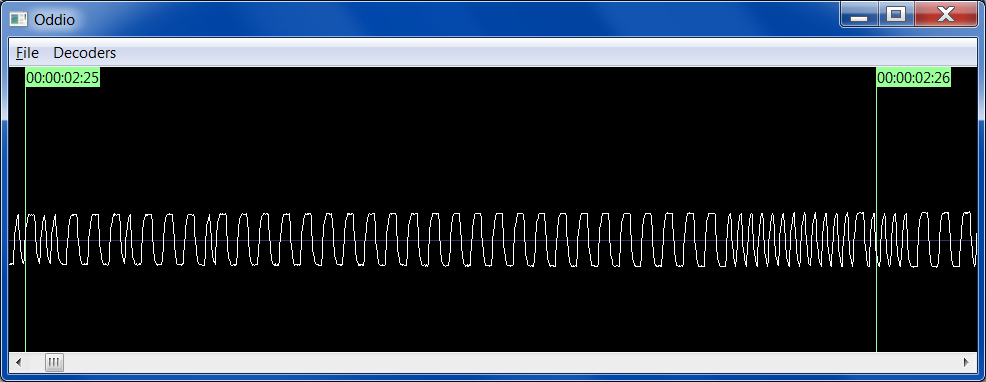
Many years later (2014-2015), I wrote more robust software, called Oddio, for capturing, analyzing, and decoding data encoded in audio streams. Screenshots in this document come from Oddio.
Since this information is derived from experimentation, I've named things, like commands, as I saw fit. My names may not match what Arion called them.
It appears Arion is out of business. Their web site (www.arion-usa.com) lists Music2 as the company name on their business address. Kodak ceased production of Carousel, Ektagraphic, and Ektapro slide projectors in Novemeber 2004.
Projectors are designated by a letter (A, B, C, or D) and a number (1, 2, 3, or 4). Each dissolve unit has a way to select its address, typically by setting a letter switch and a toggle switch to select 1&2 or 3&4.
Slide projector light bulbs are called lamps. Lamps can be on or off. On most projectors, it's possible to vary the intensity of the lamp from completely off to full brightness.
A slide projector holds a collection of slide images in a tray. The projector can move foward to the next slide in the tray, or backward to the previous one. The two most common types of slide trays hold up to 80 or 140 slides. A tray position is thus an integer from 1 to 80 or 1 to 140. Note that both types of trays also have a "slot zero", but it's difficult to keep a slide in that slot, so it generally goes unused. If you step forward from the highest numbered slot in the tray, then you come back around to slot zero. They Hawk documentation says it supports only 80-slide trays.
A dissolve unit controls one or more slide projectors by taking control of the tray stepping mechanism and the lamp brightness. Some newer projectors have dissolve units built into them.
A "fade" is the smooth ramping of a projector's lamp. To "fade on" (or "fade up"), the lamp is ramped from complete darkness up to full brightness. To fade off (or "fade down") means to do the opposite.
A "dissolve", (or "cross-fade") means to fade up one projector while simultaneously fading down another. Thus one image "dissolves" into the other.
"Fade to level" means to ramp the lamp up to a certain brightness which is typically less than its full brightness. This is often used when superimposing one image over another.
"Fade rate" (or "fade time") is the amount of time a given fade takes. For example a fade up with a one-second rate means the lamp intensity will go from 0 to full brightness in a one-second period.
A "cut" is a nearly-instantaneous change from one image to the next by doing a cross fade with a fade rate of zero.
A dissolve unit can repeatedly blink a lamp on and off. This is called a "flash". Dissolve units usually have parameters for the flash, such as how long to keep the lamps on and off. By adjusting these parameters and the phase between different flash cycles, you can achieve an "animation loop."
An "advance" is the process of stepping to the next slide in the tray, which is typically done immediately after fading down the lamp in order to prepare to show the next slide as soon as possible. Stepping a tray forward or backward typically takes up to 1.5 seconds. Thus show programmers have to be careful not to try to bring up the lamp while a projector is still "cycling." Mate-trac offers as "fast advance," which begins advancing the tray a fraction of a second before the lamp has completely faded out and relies on the projector's shutter to prevent flashing of the images.
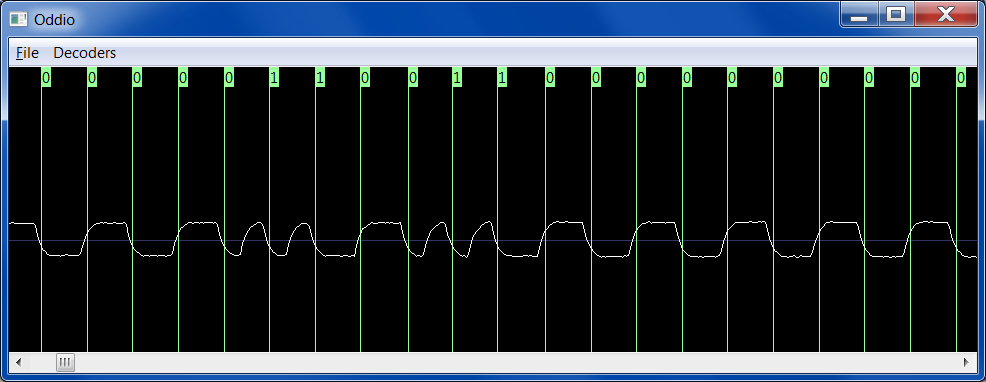
The Mate-trac digital signal is modulated into an audio signal using bi-phase mark (BPM) encoding, just like a linear SMPTE code is. BPM is a simple form of frequency modulation. Bits are sent at a constant rate, with a zero bit represented by one transition from high to low or low to high, and a one by by two transitions. I managed to extract the bitstream at 2400 baud (just like SMPTE), even though the Mate-trac wave form appeared to be closer to 2005 baud. Oddio relies on the signal itself for the data rate, without need for an external clock (as long as the audio samples are captured at a sufficient and steady rate).
The signal is one way: it travels from the source (a programming unit or a pre-recorded audio track) down a daisy-chain of one or more devices (e.g., dissolve units). Devices down the chain cannot talk back or to each other.
Unlike SMPTE, the Mate-trac signal uses two crossings to represent a zero bit and four crossings to represent a one bit. I suspect this is for redundancy and possibly because the frequency response of audio tape gear might be more reliable at (approximately) 4 and 8kHz than at 2 and 4kHz. It also moves them into a range that's easier for humans to hear.
Bits are assembled into eight-bit bytes bookended by a 0 start bit and a 1 stop bit. Bits are transmitted from least to most significant.
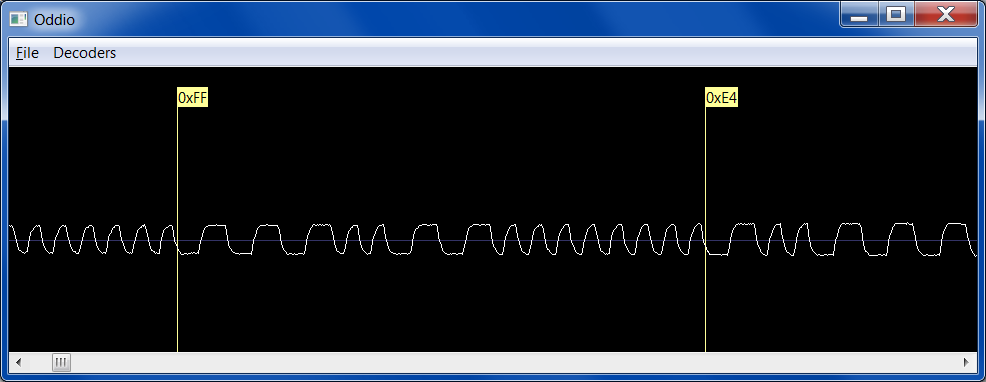
There seem to be three variants of the protocol. The Hawk can produce any of them.
Each Mate-trac message starts with one FF byte and is followed by four bytes. That works out to 20 messages per second, which is the timing precision Arion claims for its current products.
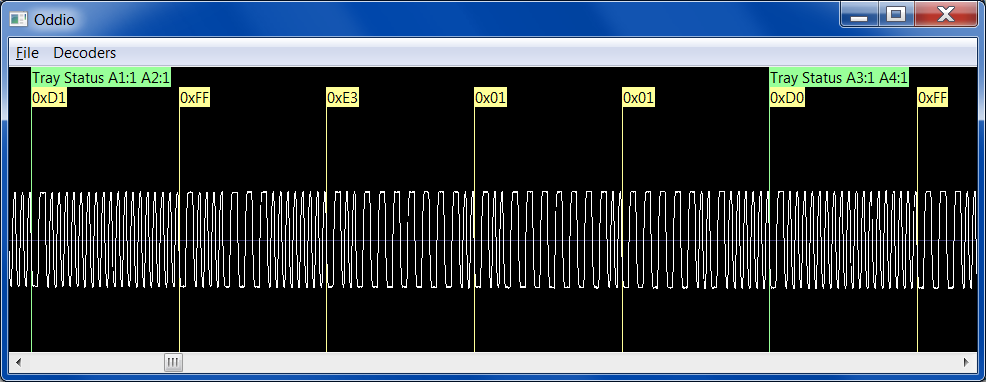
Although the data stream is organized into 8-bit bytes, much of the protocol seems to be geared toward 4-bit nibbles. Perhaps early implementations of Mate-trac hardware used 4-bit microprocessors.
Note that a valid message may never contain a byte equal to 0xFF, since that would be mistaken for the start of a new message.
The high nibble of the first byte of each message determines the type of message.
Message Type Meaning 1 Fade Lamps 2 Fade Lamps, Advance 3 Fade to Level 4 Start Flash 5 Stop Flash 6 7 Preload Lamp Level 8 Reverse 9 Lamp Status A Forward B Show Status? C D Flash Status E Tray/Level Status F Preload Fade Rate/Auxiliary
Messages fall into two categories: commands and status. Commands are sent when a device is supposed to do something (like fading a lamp). When commands are not being sent, the signal contains repetitious status messages that remind the devices of their current states. The status messages serve two purposes: (1) keeping devices in sync even if the signal is temporarily lost or garbled, (2) facilitating random access into a show.
The last message, Preload Fade Rate/Auxiliary, is both a command message and a status message. Details are in the description of that message.
Commands may be sent at any time. They may even interrupt a status message. Presumably the interrupted message is simply ignored. Note that the Preload Fade Rate message is often essential and thus must not be interrupted.
Often, commands are sent three times in a row. This appears to be a form of redundancy for error tolerance. Sometimes, however, the command is sent only once. I have not found a definitive pattern. Note that devices must be prepared for rapid copies of the command. For example, if the programmer sends the command to start a one-second dissolve three times and the target device successfully recognizes the first one, then it must realize that repeated commands are duplicates. There is no clock information in the commands.
Status messages are sent any time a command is not being sent. The same messages are sent repeatedly, apparently in a fixed sequence. When the status messages are interrupted by a command, the sequence starts again with the beginning of the sequence.
The sequence is:
Most messages appear to have a checksum: all of the nibbles in the message
will sum to a multiple of 16. For example, the nibbles of a tray status message
like E2 02 02 75 sum up as:
0xE + 0x2 + 0x0 + 0x2 + 0x0 + 0x2 + 0x7 + 0x5 = 0x20
The low nibble of the sum is 0, so this message adds up to a multiple of 16.
Several messages share conventions for representing similar information such as fade rates and specifying subsets of projectors. Rather than repeat the description with each relevant message, these common conventions are described in this section.
Early dissolve units had a limited set of fade rates. The protocol originally supported this small set directly. As dissolve units expanded their repertoire of dissolve rates, the protocol was extended but backward compatibility was maintained. As a result, there are many ways to encode a fade rate.
All of the fade commands have a Selector nibble. This nibble is used as an index into a table of "classic" fade rates, or as a reference to the most recently loaded fade rate from extended tables.
The following table shows how the classic fade rates are encoded directly into the Selector. Note that even newer dissolve units understand these older rates. For maximum compatibility, signal sources should use the classic encoding for these rates, even when there is a more modern way to encode the rate. Some cheaper dissolve units have a limited set of fade times you can enter through the front panel, but many of these can still support the full range of fade times supported by Mate-trac.
Classic Fade Rates Rate (seconds) Selector 0 (cut) 9 0.2 1 1 A 2 2 3 B 4 3 6 C 8 4 16 5
To encode a wider range of dissolve rates, extra bits were needed. Thus the Preload Fade Rates/Auxiliary message can be used to preload a fade rate before the actual fade command. To indicate that the preloaded value should be used, the Selector in the fade command should be D.
NOTE: The extended range of rates seems to be more reliable in SPC mode than in Standard mode.
For fade times from 0.1 to 9.9 seconds, Code is the number of tenths of a second with the high-bit set. There are exceptions for classic rates and a few other values. See the table.
For fade rates of 10 to 100 seconds, Code is simply the number of seconds. Arion documentation says only even numbers are supported with SPC for longer fade rates, but the Hawk allows you to enter odd numbers and produces seemingly rational codes. Note that there's an exception for 16 seconds, since that's a classic fade rate.
High Resolution Fade Rates Rate (s) Code (hex) Rate (s) Code (hex) Rate (s) Code (hex) 0.1 81 3.4 A2 6.7 C3 0.2 classic 3.5 04 6.8 C4 0.3 83 3.6 A4 6.9 C5 0.4 84 3.7 A5 7.0 07 0.5 01 3.8 A6 7.1 C7 0.6 86 3.9 A7 7.2 C8 0.7 87 4.0 classic 7.3 C9 0.8 88 4.1 A9 7.4 CA 0.9 89 4.2 AA 7.5 08 1.0 classic 4.3 AB 7.6 CC 1.1 8B 4.4 AC 7.7 CD 1.2 8C 4.5 05 7.8 CE 1.3 8D 4.6 AE 7.9 CF 1.4 8E 4.7 AF 8.0 classic 1.5 02 4.8 B0 8.1 D1 1.6 90 4.9 B1 8.2 D2 1.7 91 5.0 05 8.3 D3 1.8 92 5.1 B3 8.4 D4 1.9 93 5.2 B4 8.5 09 2.0 classic 5.3 B5 8.6 D6 2.1 95 5.4 B6 8.7 D7 2.2 96 5.5 06 8.8 D8 2.3 97 5.6 B8 8.9 D9 2.4 98 5.7 B9 9.0 09 2.5 03 5.8 BA 9.1 DB 2.6 9A 5.9 BB 9.2 DC 2.7 9B 6.0 classic 9.3 DD 2.8 9C 6.1 BD 9.4 DE 2.9 9D 6.2 BE 9.5 0A 3.0 classic 6.3 BF 9.6 E0 3.1 9F 6.4 C0 9.7 E1 3.2 A0 6.5 07 9.8 E2 3.3 A1 6.6 C2 9.9 E3
Longer Fade Rates Rate (s) Code (hex) Rate (s) Code (hex) 10 0A 56 38 11 0B 57 39 12 0C 58 3A 13 0D 59 3B 14 0E 60 3C 15 0F 61 3D 16 classic 62 3E 17 11 63 3F 18 12 64 40 19 13 65 41 20 14 66 42 21 15 67 43 22 16 68 44 23 17 69 45 24 18 70 46 25 19 71 47 26 1A 72 48 27 1B 73 49 28 1C 74 4A 29 1D 75 4B 30 1E 76 4C 31 1F 77 4D 32 20 78 4E 33 21 79 4F 34 22 80 50 35 23 81 51 36 24 82 52 37 25 83 53 38 26 84 54 39 27 85 55 40 28 86 56 41 29 87 57 42 2A 88 58 43 2B 89 59 44 2C 90 5A 45 2D 91 5B 46 2E 92 5C 47 2F 93 5D 48 30 94 5E 49 31 95 5F 50 32 96 60 51 33 97 61 52 34 98 62 53 35 99 63 54 36 55 37
TODO: Figure out how (or if) the system distinguishes between the rates that are coded identically. For example, 0x05C is both 4.5 and 5.0 seconds.
Fade to Level commands set lamps to a specified brightness other than fully on or fully off. These levels are specified as a percentage of full brightness from 1 to 99%. When encoded, the percetage is doubled and the result is stored in a byte. A percentage of 100% is specified as 0. There may be differences here between Standard and SPC.
The lower nibbles of each byte of the message form a bitmask with one bit for each projector. The first low nibble is for the A projectors, the second is for the B projectors, etc. Within a nibble, the least significant bit corresponds to projector 1, and the most significant bit corresponds to projector 4.
In fade commands, a 1 means that the projector lamp should turn on or remain on, and a 0 means that the projector lamp should turn off or remain off. In tray commands, the bitmask selects which projectors are to be affected.
Up to 12 auxiliary relays may be controlled by Mate-trac along with projectors. A relay bitmask is like a projector bitmask, except that there are only three relays per nibble instead of four. Thus the relays are designated A1, A2, A3, B1, B2, B3, C1, C2, C3, D1, D2, and D3.
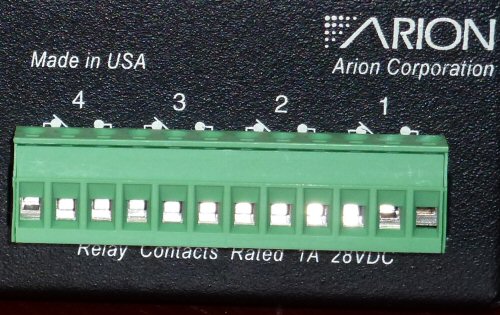
It is possible to control more relays via Mate-trac. Each Arion AUX control has four relays. In standard mode, relay 4 triggers at the same time as relay 3. The AUX device also has an extended mode that responds to lamp commands instead of auxiliary commands. Thus if you aren't using a bank of projectors, you can use those projector slots as four independent relays. A show with no projectors can have up to 16 relays (in extended mode) in addition to the normal 12 relays.
For most messages, the sum of the individual nibbles is a multiple of 16. This appears to be for error detection. To ensure that the sum is a multiple of 16, one nibble of the message is dedicated as a check nibble. The check nibble is typically the high nibble of the last byte in the message.
The lower nibbles of all four bytes form a projector bitmask as described earlier. The Selector nibble is used to determine the fade rate as explained earlier.
Command is 1. Selector selects the fade rate as described in the Fade Rate conventions above. ChkNib ensures the sum of the nibbles in the message is a multiple of 16.
Bits 7 6 5 4 3 2 1 0 Byte 0 Command A4 A3 A2 A1 Byte 1 ???? B4 B3 B2 B1 Byte 2 Selector C4 C3 C2 C1 Byte 3 ChkNib D4 D3 D2 D1
This command is just like Fade Lamps above, except that, when a lamp fades out, that projector's tray will also advance.
The Pro Sixteen manual indicates that in SPC and +Shutter mode, there is a distinction between a regular advance and a fast advance. A fast advance relies on the fact that the projector has a shutter to skip some of the fade-out time, making the next image available slightly sooner. The Hawk manual doesn't mention fast advances, but the Hawk programmer allows entry of a fast advance command (in SPC or +Shutter mode, press the To Adv button twice, and the display will show "FA ADV" instead of "TO ADV"). With the Hawk, however, the Mate-trac signal doesn't appear to distinguish between the advance types.
The lower nibbles of all four bytes form a projector bitmask as described earlier. The Selector nibble is used to determine the fade rate as explained earlier. The check nibble ensures the message sums to a multiple of 16 and helps distinguish new fade commands from repeats of the previous command.
Command is 2. Selector selects the fade rate as described in the Fade Rate conventions above. ChkNib ensures the sum of the nibbles in the message is a multiple of 16.
Bits 7 6 5 4 3 2 1 0 Byte 0 Command A4 A3 A2 A1 Byte 1 ???? B4 B3 B2 B1 Byte 2 Selector C4 C3 C2 C1 Byte 3 ChkNib D4 D3 D2 D1
This message fades projector lamps to an intermediate intensity. The intensity is determined by the most recent Preload Lamp Level command. The rate of the fade is determined by the selector.
I believe the fade rate is as though the fade were over the full range. Thus a one second fade to 50% takes only half of a second.
TODO: Answer questions about fading up versus fading down, what's in the projector bitmask, and determine for sure whether the fade rate is multiplied by the level. What about advances on a fade down?
Command is 3. Selector determines the fade rate as described above.
Bits 7 6 5 4 3 2 1 0 Byte 0 Command A4 A3 A2 A1 Byte 1 ???? B4 B3 B2 B1 Byte 2 Selector C4 C3 C2 C1 Byte 3 ???? D4 D3 D2 D1
This command tells the dissolve units to begin flashing the specified lamps. This is often combined with a long fade which acts as an envelope limiting the illuminated intensity. The flash is to repeat indefinitely until stopped.
A flash rate is set in terms of two times, the on time and the off time. These times are in tenths of a second. The on time is the high nibble of the second byte. The off time is the high nibble of the third byte.
The lower nibbles of the command are a projector lamp bitmask indicating which lamps should be flashing.
Command is 4. On Time is how long the lamp should be on for each flash, from 1 to 9 tenths of a second. Off Time is how long the lamp should be off for each flash, also from 1 to 9.
Bits 7 6 5 4 3 2 1 0 Byte 0 Command A4 A3 A2 A1 Byte 1 On Time B4 B3 B2 B1 Byte 2 Off Time C4 C3 C2 C1 Byte 3 ???? D4 D3 D2 D1
This command cancels a previous Start Flash command.
The high nibbles of the second and third bytes re-iterate the on and off times of the lamps. This seems unecessary, except, perhaps to a sequencer that must back up during editing.
The lower nibbles of the command are a projector lamp bitmask indicating which lamps should stop flashing. Programmers typically set the bits for all lamps that should not be flashing, regardless of whether that lamp was in a flashing state.
Command is 5. On Time is how long the lamp should be on for each flash, from 1 to 9 tenths of a second. Off time is how long the lamp should be off for each flash, also from 1 to 9.
Bits 7 6 5 4 3 2 1 0 Byte 0 Command A4 A3 A2 A1 Byte 1 On Time B4 B3 B2 B1 Byte 2 Off Time C4 C3 C2 C1 Byte 3 ???? D4 D3 D2 D1
This message tells the dissolve units the lamp level for the next Fade to Level message. The Hawk programmer doesn't send this message unless the program contains at least one Fade to Level message.
The desired lamp level is specified as a percentage, 1 - 99. The value 0 means 100%. The percentage is doubled and stored as the high nibbles of the second and third bytes of the message.
Command is 7. Level1 is the high nibble of the lamp level. Level0 is the low nibble. When combined, Level is twice the percentage.
Bits 7 6 5 4 3 2 1 0 Byte 0 Command ???? Byte 1 Level1 ???? Byte 2 Level0 ???? Byte 3 ???? ????
Moves the specified trays back one position. The lower nibbles are a projector bitmask of the trays that are affected.
Command is 8.
Bits 7 6 5 4 3 2 1 0 Byte 0 Command A4 A3 A2 A1 Byte 1 ???? B4 B3 B2 B1 Byte 2 ???? C4 C3 C2 C1 Byte 3 ???? D4 D3 D2 D1
This message reiterates the state of each of the projector lamps. The lower nibble of each byte forms a projector bitmask as described above. When a bit is set, the corresponding lamp should be on, fading on, or flashing.
The high nibble of the third byte is the same as the Selector on the last 1 Fade Lamp or 2 Fade Lamp, Advance command.
Command is 9. Selector re-iterates the most recent fade rate selector.
Bits 7 6 5 4 3 2 1 0 Byte 0 Command A4 A3 A2 A1 Byte 1 ???? B4 B3 B2 B1 Byte 2 Selector C4 C3 C2 C1 Byte 3 ???? D4 D3 D2 D1
Moves the specified trays forward one position. The lower nibbles are a projector bitmask of the trays that are affected. It seems this is a low-priority message. Missing it is not a big deal since the Tray Status message will eventually correct the situation.
Command is A.
Bits 7 6 5 4 3 2 1 0 Byte 0 Command A4 A3 A2 A1 Byte 1 ???? B4 B3 B2 B1 Byte 2 Selector C4 C3 C2 C1 Byte 3 ???? D4 D3 D2 D1
TODO: Crack this one.
Command is B. Selector repeats the selector of the most recent 1 Fade Lamps or 2 Fade Lamps, Advance command. Std is 1 if the show is designed for Standard Mate-trac, or 0 if SPC or +Shutter.
Bits 7 6 5 4 3 2 1 0 Byte 0 Command ???? Byte 1 ??? Std ???? Byte 2 Selector ???? Byte 3 ???? ????
The lower nibbles of each byte are a projector lamp bitmask of the lamps that are not flashing. In other words, when a bit is 0, the corresponding lamp should be flashing.
The nibbles of this message do not sum to a multiple of 16, which suggests that all of the nibbles carry meaning and none were available to form a checksum.
Command is D. If bit FA is set, the next advance is a "fast advance," which is available in SPC and +Shutter modes.
Bits 7 6 5 4 3 2 1 0 Byte 0 Command A4 A3 A2 A1 Byte 1 ???? B4 B3 B2 B1 Byte 2 ? FA ?? C4 C3 C2 C1 Byte 3 ???? D4 D3 D2 D1
These messages remind the devices which tray position each projector should be on. The lower nibble of the first byte indicates a pair of projectors. The second and third bytes are the current tray position. The first slot is slot 1. If the highest slot is 80, then slot 0 is represented as 81, not 0.
Command is E. Pair selects which pair of projectors this status message refers to (see table). Tray Positions are the current positions of the slide trays for the indicated projectors. A Tray Position of 1 is the first slide. Mate-trac assumes trays hold 80 slides (50 hex). The "slot zero" position is indicated by adding one to the maximum value. If you step forward from "slot zero", you return to 1.
Bits 7 6 5 4 3 2 1 0 Byte 0 Command Pair Byte 1 Tray Position 1 Byte 2 Tray Position 2 Byte 3 ????????
Pair Projectors 2 A1 & A2 3 A3 & A4 4 B1 & B2 5 B3 & B4 6 C1 & C2 7 C3 & C4 0 D1 & D2 1 D3 & D4
These status messages reiterate the intermediate lamp level currently targetted for each projector given the prior Fade to Level commands. Typically, these are omitted when there are no fade-to-level commands in progress. The lower nibble of the first byte indicates a pair of projectors. (The high bit of that nibble is what distinguishes an E Level Status message from an E Tray Status message.) The second and third bytes are the current lamp levels for those projectors.
Command is E. Pair indicates which pair of projectors this status message refers to (see table). Levels are the intermediate lamp level for the indicated projectors. Levels are twice the selected percentage brightness, except that 0 means 100%.
Bits 7 6 5 4 3 2 1 0 Byte 0 Command Pair Byte 1 Level 1 Byte 2 Level 2 Byte 3 ????????
Pair Projectors A A1 & A2 B A3 & A4 C B1 & B2 D B3 & B4 E C1 & C2 F C3 & C4 8 D1 & D2 9 D3 & D4
This message tells the devices the fade rate for the next Fade Lamp or Fade Lamp, Advance command. It also indicates the status of the auxiliary relays.
This message has multiple purposes. It's sent repeatedly like a status message, but it can also be used as a command to change an auxiliary relay. Unlike other status messages, a fade command should not interrupt this message since the fade rate must be pre-loaded before the actual fade. Every instance of the message has the next fade rate and the status of the auxiliary relays regardless of which reason prompted it.
Since the fade rate must be pre-loaded, it generally takes two messages to initiate a fade (unless the fade is the same rate as the previous fade). Thus consecutive fades with different rates must be separated by at least 0.10 seconds. Consecutive fades at the same rate only take one more message, so they may use the maximum speed of 0.05 seconds. This is consistent with a misworded statement in the glossary of the Arion Pro Sixteen Operating Manual.
This message does not have a check nibble.
The fade rate is encoded as a 12-bit number that probably corresponds to a timer or stepping amount used by the dissolve unit. The high bit is set for the fine-resolution fade rates (0.1 to 9.9 seconds) and is cleared for the longer fade rates (10 - 100 seconds). The codes are tabulated in the Message Conventions section. The encoded value is passed as the high nibbles of the second, third, and fourth bytes of the message.
The low nibbles are a bitmask indicating the state of the auxiliary relays. (Auxiliary relays can be used to control effects in the show, such as strobe lights, smoke machines, etc.) Relays are labelled like projectors, except that there are only three per letter rather than four.
The high bits of the relay bitmasks may have a special meaning, but I haven't seen anything other than 0. The Hawk shows some weird things on the display if you try to select auxiliary A4 or D4. It may be a bug or an undocumented feature.
Command is F. Code1 and Code 0 are the high and low nibbles of the code for the rate of the next fade command. The letter-number pairs form a bitmask of auxiliary relays. Note that there are only 12 relays in the bitmask, rather than the 16 in a projector relay. (Auxiliary units have four relays, but in standard mode Relays 3 and 4 are tied together.)
Bits 7 6 5 4 3 2 1 0 Byte 0 Command 0 A3 A2 A1 Byte 1 Code1 0 B3 B2 B1 Byte 2 Code0 0 C3 C2 C1 Byte 3 ChkNib 0 D3 D2 D1
Some operations are accomplished by combining the fundamental commands. For example, there isn't an explicit Reset command that turns off all the lamps and returns all trays to home. Instead, a reset is a accomplished with:
When you put programming into standby, the programmer first sends 16 message to make sure all the lamps are off (1 Fade Lamps, 0.2s rate, all lamps off), then it sends a long string of 0xFF bytes before the signal goes to 0.
TODO: This section will summarize the differences between Standard, SPC, and +Shutter.
TODO: Discuss some of the problems of always restarting status at the beginning and sending status for projectors not in use.